
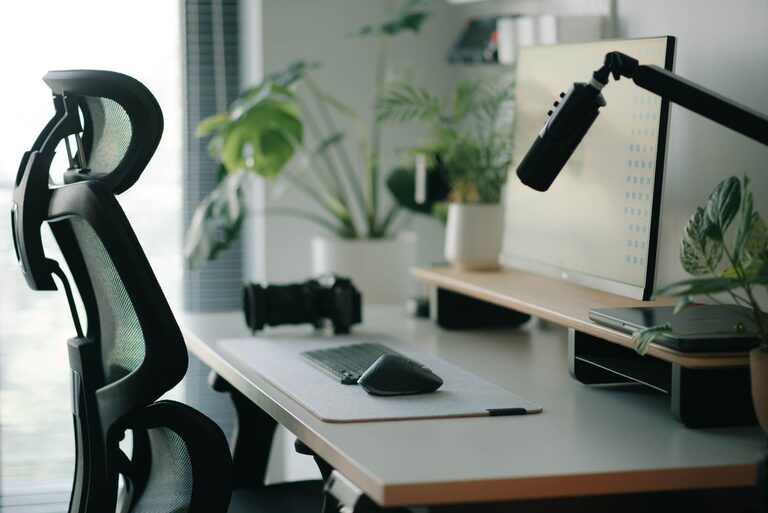
Creating an effective desk setup can make a big difference in your productivity and comfort, especially if you spend long hours working or studying. A well-organized and ergonomic workspace helps reduce distractions, prevents discomfort, and supports better focus. Whether you work from home or in an office, these desk setup tips will guide you toward a more efficient and comfortable environment.
Why Your Desk Setup Matters
Your desk setup directly impacts your physical health and mental focus. Poor posture, clutter, and inadequate lighting can cause strain, fatigue, and decreased motivation. On the other hand, a thoughtfully arranged workspace encourages better concentration and keeps your energy levels steady.
Let’s explore key elements to consider when creating a desk setup that supports both focus and comfort.
Choose the Right Desk and Chair
Desk Height and Size
Select a desk that fits your space and allows enough room for your computer, accessories, and writing materials. The standard desk height is about 28-30 inches, but the best height depends on your body size.
Ergonomic Chair
Invest in a chair with good lumbar support, adjustable height, and comfortable padding. Your feet should rest flat on the floor, and your thighs should be parallel to the ground when seated.
Optimize Your Monitor Placement
Your monitor position plays a big role in reducing eye and neck strain.
– Place the monitor about an arm’s length away.
– The top of the screen should be at or slightly below eye level.
– Tilt the screen to reduce glare.
If you use multiple monitors, align them at the same height and distance to avoid twisting your neck.
Prioritize Good Lighting
Lighting affects your focus and reduces eye strain.
– Use natural light when possible by positioning your desk near a window.
– Avoid direct sunlight hitting your screen to prevent glare.
– Incorporate a desk lamp with adjustable brightness for cloudy days or late work sessions.
Keep Your Desk Organized
A clutter-free desk helps maintain mental clarity.
– Use trays, drawers, or organizers to store supplies.
– Only keep essentials like your computer, notebook, and a pen on your desktop.
– Regularly clear papers and unnecessary items.
Integrate Ergonomic Accessories
Consider adding accessories that improve comfort and posture:
– Keyboard and mouse: Use an ergonomic keyboard and mouse to reduce wrist strain.
– Keyboard tray: Position the keyboard at elbow height with a slight downward tilt.
– Wrist support: Use padded wrist rests to keep wrists neutral.
– Footrest: If your feet don’t comfortably reach the floor, a footrest can help.
Personalize Your Space Without Distractions
Adding personal touches can make your workspace inviting.
– Place a plant or two to improve air quality and add calmness.
– Use calming colors like blues and greens in your decor.
– Limit decorations to items that inspire you but don’t cause distractions.
Manage Cables and Tech Setup
Tidy cables reduce visual clutter and prevent accidents.
– Use cable organizers, clips, or sleeves to bundle and hide cords.
– Position power strips and chargers within easy reach.
– Keep your tech devices clean and dust-free.
Take Breaks and Move
No matter how well set up your desk is, remember to:
– Stand, stretch, or walk for a few minutes every hour.
– Change your sitting posture regularly.
– Use reminders or apps to encourage movement.
Final Thoughts
Your desk setup is a personal space that should support your work habits and comfort. Investing time and a little effort to arrange your workspace can pay off with improved focus, less physical strain, and a more enjoyable workday. Start with these simple tips and adjust based on what feels best for you.
—
By creating a comfortable and organized desk setup, you take a big step toward better productivity and well-being in your daily routine.
About the Author